
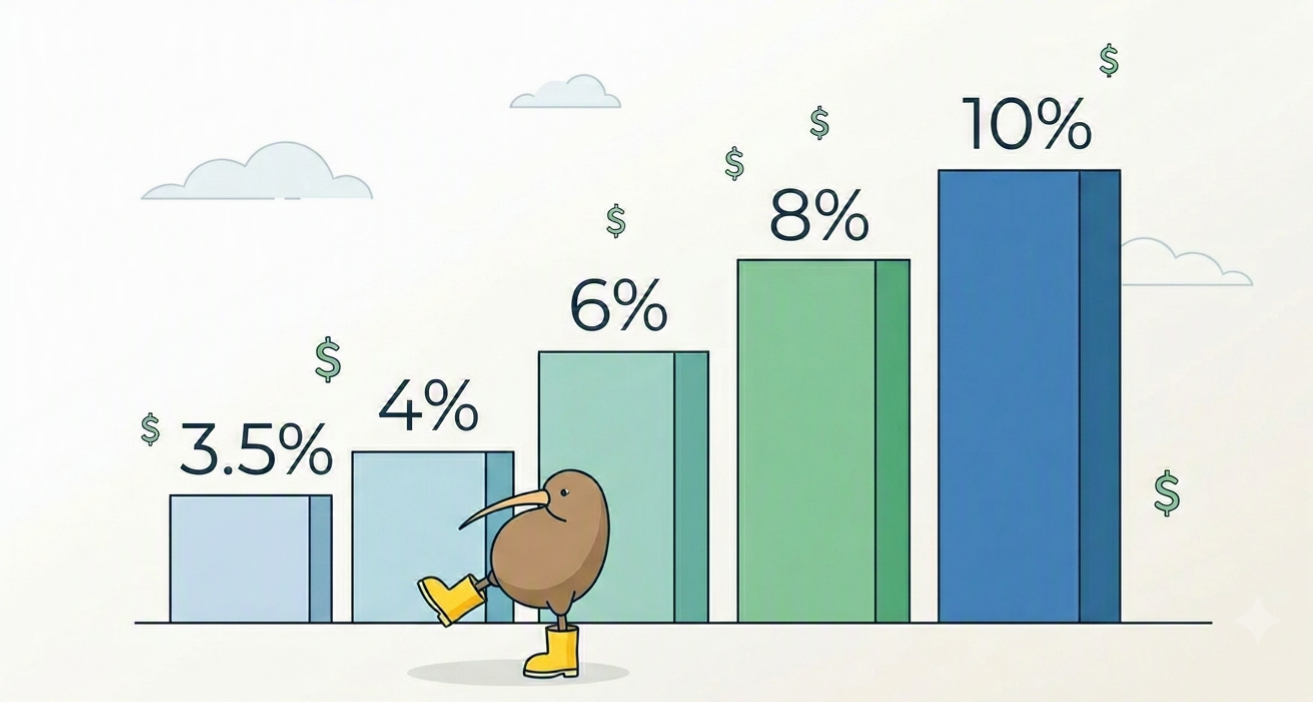
You’re leaving serious money on the table if you blindly stick to the default 3.5% KiwiSaver rate without checking if it actually aligns with your long-term property or retirement goals. With the cost of living climbing in all New Zealand, every extra dollar directed smartly can mean the difference between buying your first home at 30 versus renting with flatmates well into your 40s.
Most Kiwis are guilty of treating KiwiSaver as a “set and forget” scheme. You sign a new employment contract, tick the lowest default box on the IRD form, and never look at it again. But as your life changes, your salary grows, and the economy shifts, your KiwiSaver strategy needs to adapt alongside it.
In this comprehensive guide, we are breaking down everything you need to know about KiwiSaver contribution rates in 2026. We will look at the practical and financial impact of each rate tier, how the employer match actually operates behind the scenes, and whether it makes sense for you to dial your savings up—or down.
The April 2026 KiwiSaver Rule Changes You Need to Know
Before we dive into your rate options, you need to understand the new landscape. If you haven’t checked your pay slip recently, you might have noticed your take-home pay dropped slightly earlier this year.
A raft of changes to the KiwiSaver scheme came into effect recently, fundamentally shifting how much you (and the government) put into your fund. Here is what changed:
- The Default Rate Increase: On April 1, 2026, the minimum default contribution rate for both employees and employers increased from 3% to 3.5% of your before-tax pay. If you were sitting on the old 3% minimum, your payroll department automatically bumped you up to 3.5%.
- The Government Contribution Halved: From July 1, 2025, the annual government contribution dropped significantly. Instead of getting 50 cents for every dollar you put in, the government now only matches 25 cents per dollar. The maximum free money you can get from the government is now capped at $260.72 per year.
- The $180,000 Income Cap: High-income earners took a hit. If your taxable income is over $180,000 a year, you are no longer eligible to receive the annual government contribution.
- A Boost for Teenagers: In a massive win for young workers, 16- and 17-year-olds are now eligible to receive the mandatory 3.5% employer contribution (as of April 1, 2026) and the annual government contribution.
You can verify your eligibility and read the full policy breakdown directly on the official Inland Revenue KiwiSaver Changes page.
KiwiSaver Contribution Rates: Your Options at a Glance
When you fill out a KS2 form for a new job or log into your internet banking to update your settings, you are presented with a few options. Here is exactly what each tier means for your wallet.
The 3% Rate (The Temporary Reduction)
While 3.5% is the new legal default, you haven’t entirely lost the ability to contribute 3%. If your budget is incredibly tight, you can apply directly to Inland Revenue (via myIR) for a “temporary rate reduction” to drop back to 3%. This reduction can last anywhere from 3 to 12 months. You can renew this as often as you need, but it is no longer the standard automatic option.
The 3.5% Rate (The New Default)
This is the baseline for 2026. If you don’t make an active choice, you and your employer will both contribute 3.5% of your gross PAYE wage. For most Kiwis on a standard salary, this rate ensures you automatically hit the threshold to get the full government contribution.
The 4% Rate (Getting Ahead of the Curve)
This is a minor step up from the minimum. Interestingly, the government has already legislated that on April 1, 2028, the default minimum will rise again from 3.5% to 4% for both employees and employers. Choosing 4% now simply gets your budget used to the new normal a couple of years early.
The 6%, 8%, and 10% Rates (The Power Savers)
These are the aggressive saving tiers. They are completely voluntary. Choosing a higher tier is an excellent way to supercharge your retirement fund or fast-track a first home deposit. Because the money is deducted by your payroll team before your wage hits your standard transaction account, you are effectively hiding your wealth from yourself—a brilliant psychological trick to stop you from spending it.
How Employer Contributions Actually Work (And The Cap)
One of the absolute biggest perks of KiwiSaver is the employer match. It is essentially a pay rise that gets locked away for your future. However, there are strict rules governing how this match works, and misunderstandings here cost Kiwis thousands.
The Employer Match Cap
By law, your employer is only required to match your contributions up to the minimum default rate, which is now 3.5%. If you choose to bump your personal contribution rate up to 6%, 8%, or 10%, your employer is not legally obligated to match that higher amount. Unless you have negotiated a sweeter deal in your employment contract, your employer’s contribution will remain capped at 3.5%.
Watch Out For ESCT (Employer Superannuation Contribution Tax)
Many people log into their KiwiSaver app, look at their employer’s contribution, and wonder why the math doesn’t add up to a full 3.5%. This is because your employer’s contribution doesn’t go into your KiwiSaver account tax-free.
It is subject to ESCT (Employer Superannuation Contribution Tax). The IRD takes a slice of your employer’s contribution before it even reaches your fund provider. Your ESCT rate depends on your total salary package. For example, if you earn between $57,601 and $84,000 a year, your ESCT rate is 30%. If you earn between $84,001 and $119,999, it jumps to 33%.
Total Remuneration Packages
Be extremely cautious if your employment contract states you are on a “Total Remuneration” package. This legally means your employer’s KiwiSaver contribution is baked into your gross salary, rather than being paid on top of it.
If you are on a total remuneration package and the default rate rises (like it just did to 3.5%), your actual take-home pay drops even further because you are funding both your share and your employer’s share out of your own wage. Always try to negotiate a “salary plus KiwiSaver” package when moving to a new job.
The Government Contribution: Maximising Your “Free” Money in 2026
The government contribution is an annual bonus paid directly into your KiwiSaver account around July or August. While it was cut in half recently, it is still free money that you should aim to collect every single year.
To get the absolute maximum government contribution of $260.72, you must contribute at least $1,042.86 of your own money between July 1 and June 30 each year.
- The Weekly Target: To hit this threshold, you need to be putting in roughly $20.06 per week.
- Automatic Qualification: If you are employed, earning over $30,000 a year, and contributing the default 3.5%, your standard payroll deductions will automatically push you over the $1,042.86 finish line without you having to lift a finger.
Remember, if your taxable income is over $180,000 for the year, you no longer qualify for this top-up.
The Financial Impact: A $60,000 Salary Case Study
How much difference does your contribution rate actually make over a working lifetime? Let’s look at a 30-year-old earning $60,000 a year to see how small weekly sacrifices translate into massive long-term gains.
Assumptions for this baseline projection:
- 30 years old, planning to retire at 65 (35 years of investing).
- Starting KiwiSaver balance of $0.
- 5% real investment return per year (after fees, inflation, and taxes).
- Employer match is capped at the 3.5% minimum ($2,100 gross per year).
- ESCT tax rate of 30% applies to the employer match.
- The $260.72 annual government contribution is received every year.
| Contribution Rate | Weekly Cost (Out of your pay) | Projected Balance at Age 65 |
| 3% (Temp. Reduction) | $34.62 | $318,800 |
| 3.5% (Default) | $40.38 | $345,900 |
| 4% | $46.15 | $373,000 |
| 6% | $69.23 | $481,400 |
| 8% | $92.31 | $589,700 |
| 10% | $115.38 | $698,100 |
The math speaks for itself. For an extra $28.85 a week (the difference between sticking to 3.5% or moving to 6%), you could add over $135,000 to your retirement fund. That is the magic of compounding interest. The earlier you increase your rate, the harder your money works for you.
When Should You Stick to the 3.5% Default (Or Drop to 3%)?
Dialing up your contribution rate isn’t always the smartest financial move. In fact, there are several scenarios where keeping your KiwiSaver deduction as low as possible is actually the best thing you can do for your wealth.
- You are drowning in high-interest debt: If you have a credit card charging 22% interest, a personal loan at 15%, or a Hire Purchase dragging down your weekly cash flow, mathematically, you should pay those off first. You are generally better off applying for a temporary rate reduction to 3%, using the extra cash to clear your expensive bad debt, and then bumping your KiwiSaver back up once you are debt-free.
- You are saving outside of KiwiSaver: KiwiSaver is incredibly restrictive. Unless you are buying a first home or hitting age 65, your money is locked away. If you want the flexibility to access your cash for a wedding, an overseas trip, or starting a business, you should keep your KiwiSaver at 3.5% (to get the employer match) and put the rest of your cash into high-interest savings accounts or term deposits. With NZ interest rates hovering around 5-6%, you can get solid returns without the strict lock-up rules.
- Your budget is at breaking point: With inflation hitting grocery bills and rent, sometimes you simply need the cash flow. Protecting your daily livelihood and putting food on the table comes first.
When Should You Increase Your Rate to 6%, 8%, or 10%?
If you have a bit of breathing room in your budget, voluntarily increasing your rate to 6%, 8%, or even 10% is one of the easiest ways to secure your financial future. You should absolutely do this if:
- You are aggressively saving for a first home: Current RBNZ LVR (Loan-to-Value Ratio) restrictions mean you generally need a 20% deposit to buy an existing home. If you lack the discipline to save cash manually, jacking your KiwiSaver up to 8% or 10% forces you to save. Because the money never hits your bank account, you simply can’t spend it on weekend takeaways or online shopping.
- Your employer is generous: Some fantastic Kiwi employers offer a matching scheme above the legal minimum. If your workplace offers to match your contributions up to 5% or 6%, you should immediately increase your rate to meet it. If you don’t, you are literally leaving free money on the table.
- You are fighting lifestyle creep: Did you just get a pay rise? Before you upgrade your car or start eating out three times a week, increase your KiwiSaver rate. If you divert that extra income straight into investments, you won’t even miss the money because you never got used to having it.
KiwiSaver Contribution Holidays: The “Savings Suspension”
What if things get incredibly tight and even the 3% temporary reduction is too much of a drain on your wages?
If you are facing severe financial hardship, redundancy, or you are taking unpaid leave, you can apply to the IRD for a “Savings Suspension” (formerly known as a contribution holiday).
- If you have been in KiwiSaver for more than a year, you can take a complete break from contributing for between 3 months and 1 year.
- You can renew this suspension if your financial struggles continue.
- The Catch: While you are on a suspension, your employer will also legally stop contributing to your KiwiSaver fund. You will also likely miss out on the $260.72 government top-up because you won’t hit the $1042.86 target. You should use a savings suspension strictly as a last resort.
Step-by-Step: How to Change Your KiwiSaver Rate
Adjusting your contribution rate is incredibly simple and can be done at any time. You have three main avenues to get it done:
- Through your employer: The easiest way is to send a quick email to your payroll officer or HR department stating your new desired percentage. They will adjust it in their software (like Xero or iPayroll) for your next pay cycle.
- Online via myIR: Log into your Inland Revenue myIR account, navigate to the KiwiSaver tab, and select “Change my contribution rate”. This is also exactly where you go if you need to apply for the temporary rate reduction down to 3%.
- Through your provider: Many modern KiwiSaver providers (like your bank or your boutique investment fund) allow you to update your rate directly through their mobile app or web portal.
Frequently Asked Questions
Can I contribute more as a lump sum instead of touching my wages?
Yes, absolutely. You can make voluntary lump-sum contributions directly to your KiwiSaver provider at any time. This is a brilliant strategy if you want to keep your weekly wage deductions low (at the 3.5% default) but want to throw your annual tax refund, a work bonus, or an inheritance directly into your retirement fund.
What about voluntary contributions if I’m self-employed or a contractor?
If you are self-employed, a contractor on a flat rate, or a stay-at-home parent, you don’t have an employer deducting a percentage of your PAYE wages. Instead, you have total control over how much you invest. To ensure you still get the full government contribution of $260.72, you should set up a direct debit or automatic payment with your KiwiSaver provider for at least $20.06 per week (or a $1,043 lump sum before June 30).
Does my employer have to match my contribution if I drop to 3%?
If you apply to Inland Revenue for a temporary rate reduction to 3%, your employer is notified. However, it is entirely up to your employer’s discretion whether they match your 3% reduction or continue contributing at the 3.5% default minimum. Most payroll systems will drop the employer match to 3% unless instructed otherwise, so be aware of this before you apply.
What happens to my rate if my income fluctuates wildly?
If you do shift work, earn commissions, or your hours change every week, your KiwiSaver deductions will automatically scale with your gross pay. Because the contribution is a fixed percentage (e.g., 3.5%), you will simply contribute more cash on high-earning weeks and less cash on low-earning weeks. You don’t need to manually adjust it.
How often can I change my KiwiSaver rate?
Technically, Inland Revenue rules state you can change your standard contribution rate (4%, 6%, 8%, 10%) once every 3 months. However, if your employer’s payroll system is flexible and your HR team is accommodating, they may agree to process changes more frequently. The temporary rate reduction to 3% requires IRD approval and lasts for a set period of 3 to 12 months.
Ready to Run Your Own Numbers?
Personal finance is exactly that—personal. What works for your flatmate or your colleagues might not work for you. The absolute best way to make a decision is to see exactly what these percentages mean for your specific salary and age.
Before you make a final decision on your rate, take two minutes to run your own scenarios at 3.5%, 6%, and 10%. Seeing exactly how those small weekly adjustments translate into a massive deposit for a house or a comfortable, stress-free retirement is often the motivation you need to make a change.
Calculate your future now: KiwiSaver Projection Calculator
Disclaimer: This is general information, not personalized financial advice. Before making major changes to your retirement or investment strategy, please seek guidance from a registered financial adviser to ensure your KiwiSaver settings align with your specific financial situation and goals.
Date: 25/06/2026
Author: Luca Tariciotti
Leave a Reply